
The Workflow Designer
Build voice workflows.
No code. No waiting.
Your picking doesn’t work like anyone else’s, so the people who run your floor lay it out themselves. What the app says, what it listens for, where it checks with your WMS. All drawn on a canvas, in plain warehouse language, and changed the same afternoon.
The canvas
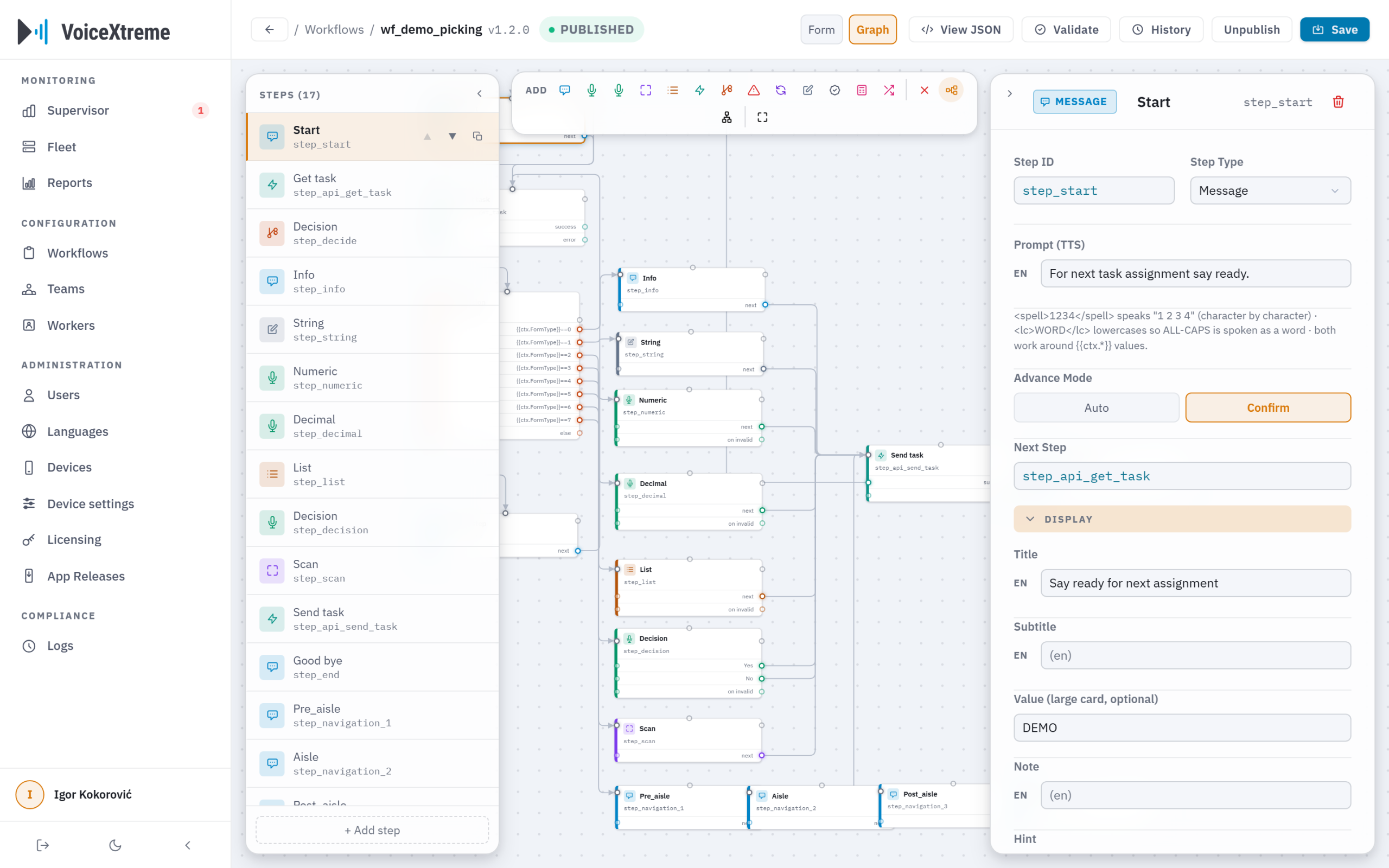
The whole process, in one picture.
The whole workflow, every prompt and every branch, laid out the way you’d sketch it on a whiteboard. Rearrange it by dragging. When something doesn’t connect, the Designer points at it before the floor ever hears it.
- Plain warehouse language. “Go to A-12.” “Say the quantity.” “Scan the pallet.” Not code.
- Every language at once. Write the flow once and each worker hears it in their own language.
- Checked as you build. Gaps, dead ends and missing translations are flagged while you work, not discovered mid-shift.
- Assigned in a click. Point a finished workflow at a team and everyone on it has it.
Workflow Designer
The building blocks
A vocabulary for every process.
Picking, receiving, put-away, replenishment, cycle counts, loading. All of it comes from the same simple moves: speak, listen, count, scan, check with your WMS, decide, repeat, escalate. If your floor does it, you can build it.
The moves
Speak
Listen
Count
Scan
Check your WMS
Decide
Repeat
Escalate
Workflow library
Iterate at warehouse speed
Change without fear.
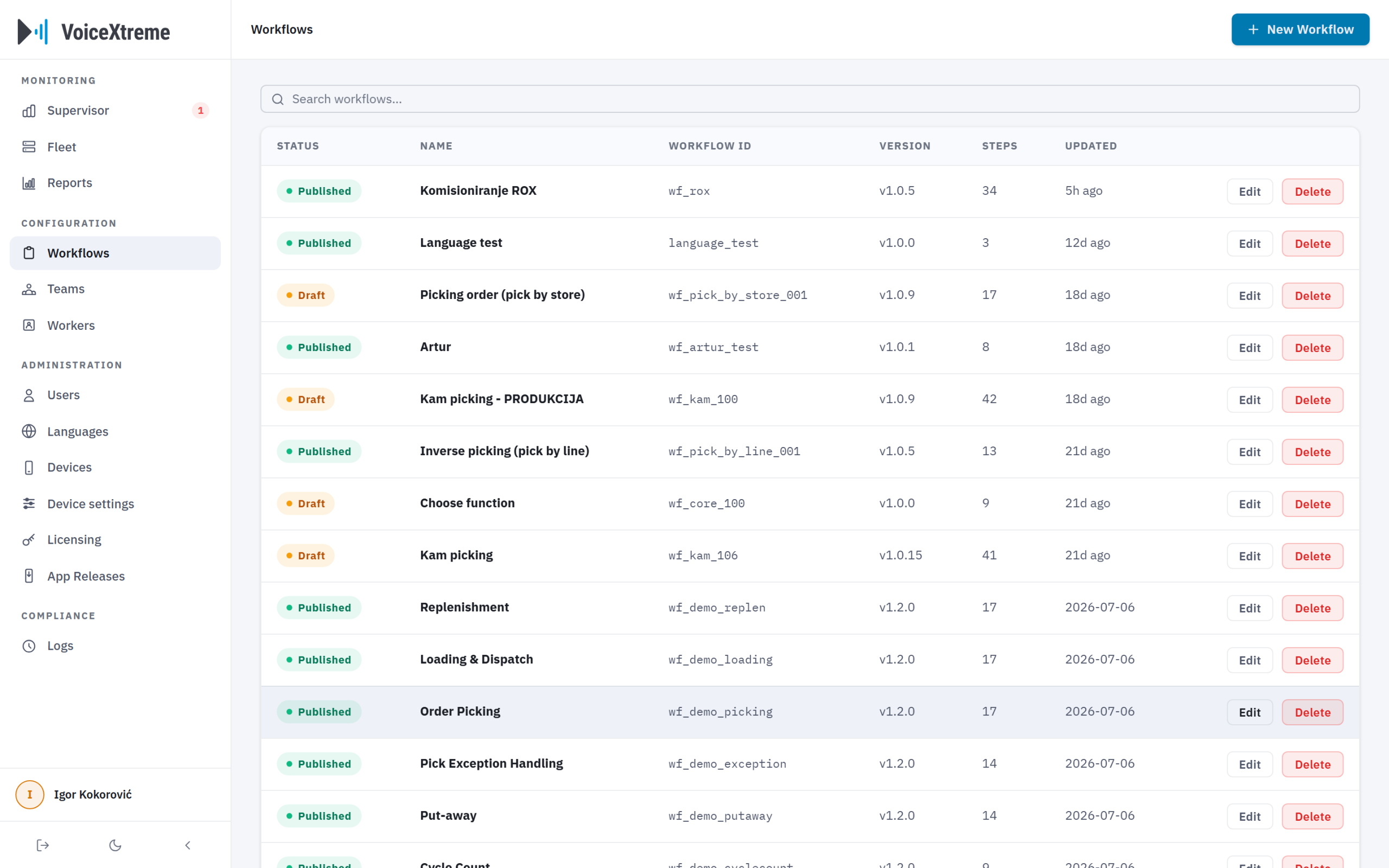
The floor changed on Tuesday? Change the workflow on Tuesday. Every process lives in a versioned library: draft the revision, try it, publish it when it’s ready. And if it isn’t right, the previous version is one click away.
- Drafts stay off the floor. Nothing reaches a worker until you publish it.
- The live version is safe. Editing never touches what’s running. Your change becomes a new draft.
- Roll back in one click. Every version is kept, so experimenting on a real process carries no risk.
- Own the change. Your team, your timing. No developer in the loop.
Watch a workflow take shape.
In the demo we’ll build one of your processes live. Your steps, your words, your languages. Thirty minutes.
your process · your words · your languages