
Voice-directed warehouse execution
Warehouse work,
guided by voice.
Learned in minutes.
The handheld talks the worker through every pick. The worker answers with both hands on the goods. Picking, receiving, put-away, counting. Hands free, eyes up, from the first shift.
7+ languages
No voice training
Hands free, eyes up
7 languages
in production and more on the way.
How a shift WORKS
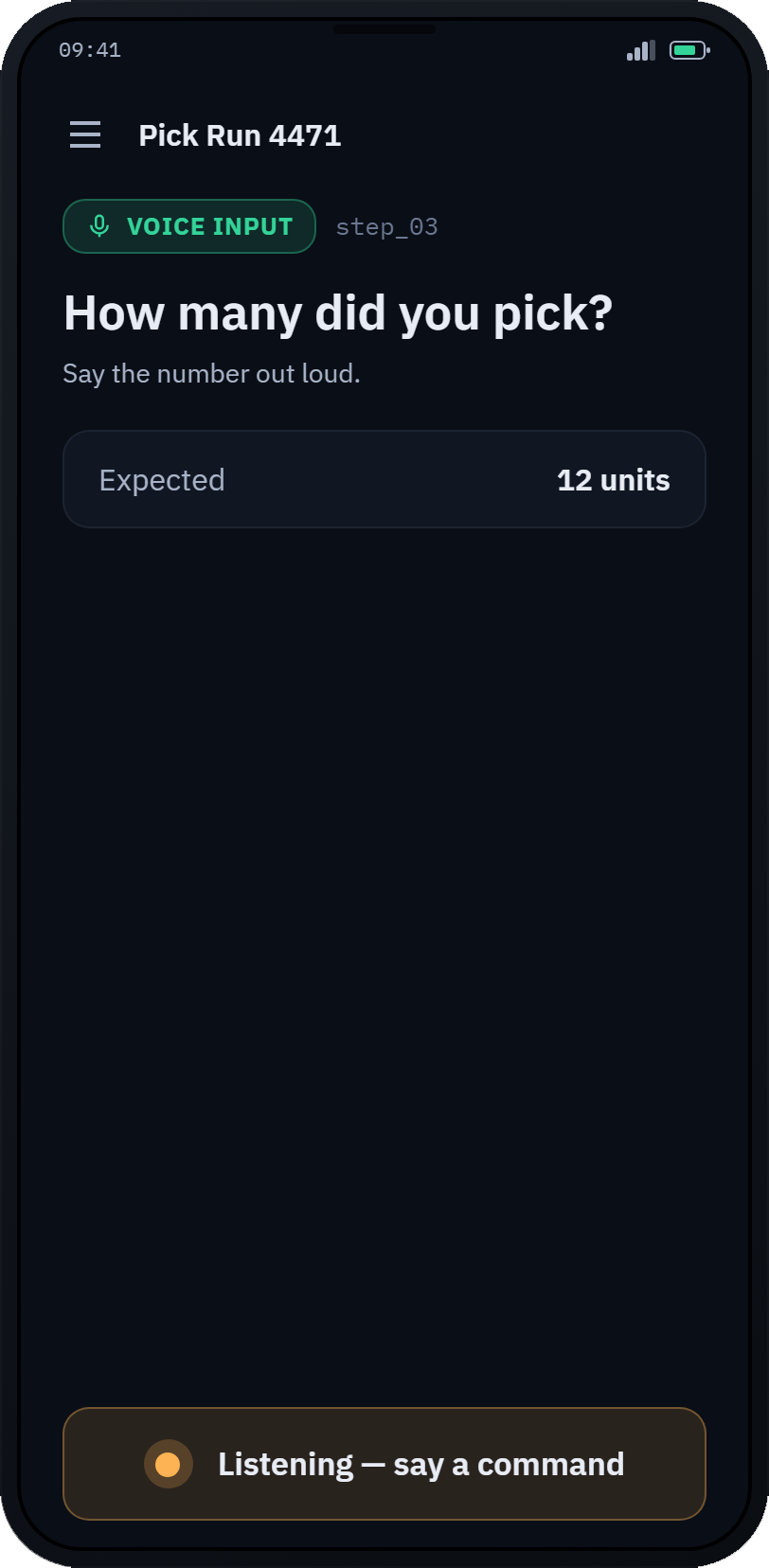
This is the whole interface.
No screens to study, no codes to memorize, no training course. The app says what’s next. The worker answers and keeps moving. A seasonal hire who’d spend days learning a scanner menu is picking by voice on their first morning.
John hears all of it in English, Ana in Croatian, Piotr in Polish. Same workflow, and every worker gets it in the language they think in.
- App
Good morning, John. Order 4821, aisle A-12, bin 04.
- John
Ready.
- App
Pick twelve.
- John
Twelve.
- App
Confirmed. Next: aisle B-03, bin 11.
John doesn’t answer. He’s already walking.
In their own language
Croatian on one headset, Polish on the next. Every worker runs the same workflow in their own language.
Nothing to train
No voice profiles, no enrollment, no manual. A new hire picks up a device, says hello, and goes to work.
Voice and scan, together
Speak when hands are full, scan when it’s faster. Both land in the same step of the same flow.
Keeps up, keeps going
Recognition runs right on the handheld, so answers are instant. A Wi-Fi gap in the freezer aisle won’t stop the shift.
Devices, managed
Every handheld’s battery, versions and status on one screen. App updates arrive over the air.
Reports
How runs actually went: outcomes, durations, and the steps that slow people down.
Teams
Point a workflow at a team and every member gets it, each in their own language.
Yours to run
Self-hosted on your own infrastructure. Voice is processed on the handheld itself, so what happens on your floor stays in your building.
Workflow Designer
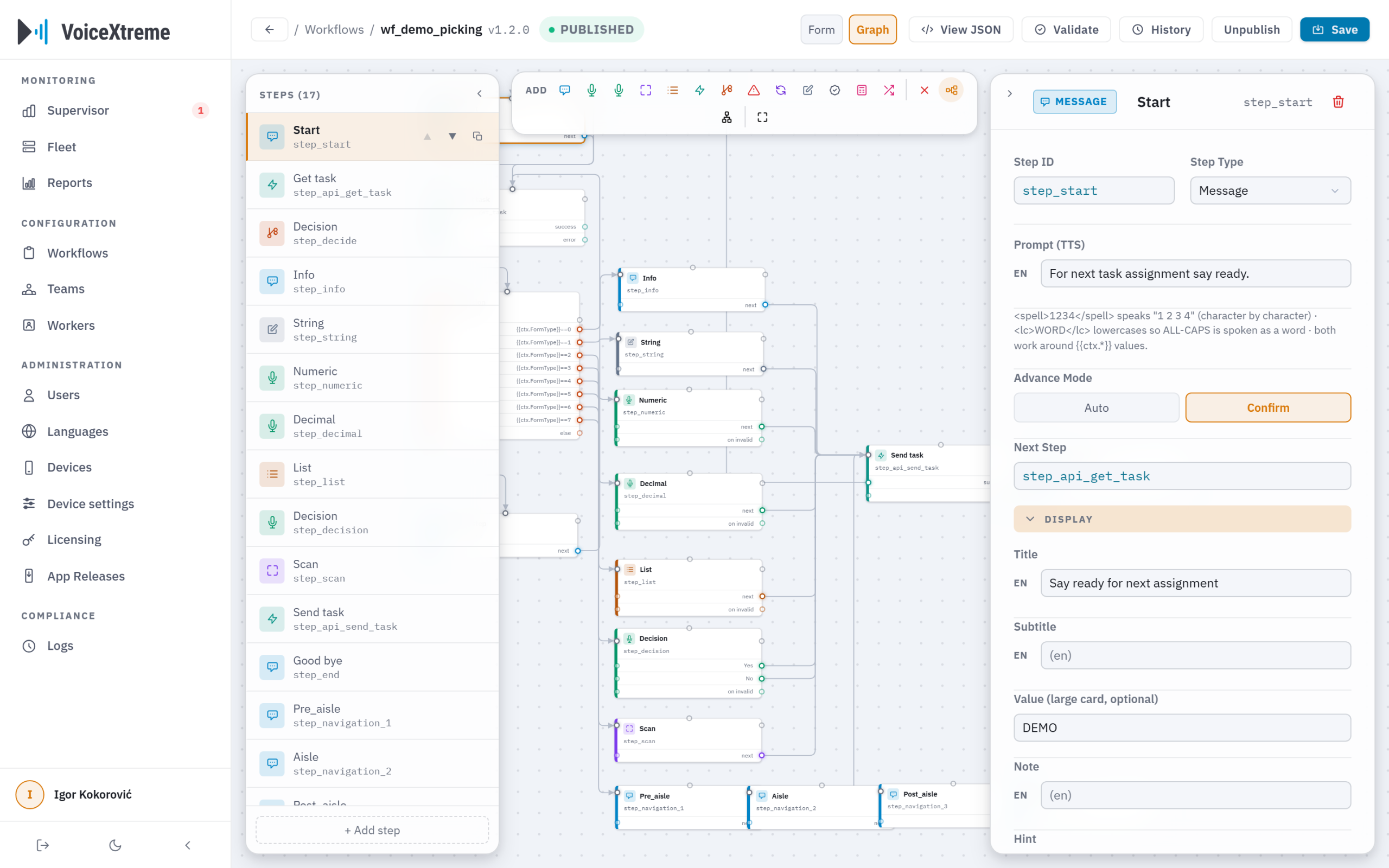
The Workflow Designer
Your process, built by your people.
Picking in your building doesn’t work like picking in anyone else’s. So in the Designer, the people who run the floor lay out the flow themselves. What the app says, what it listens for, where it checks with your WMS. When the floor changes, they change it. Same afternoon, no project.
- Build it visually. Steps on a canvas, in plain warehouse language. No code.
- Every language at once. Write the flow once and each worker hears it in theirs.
- Publish when ready. Drafts stay off the floor until you say go.
- Change without fear. Every version is kept and rolling back takes one click.
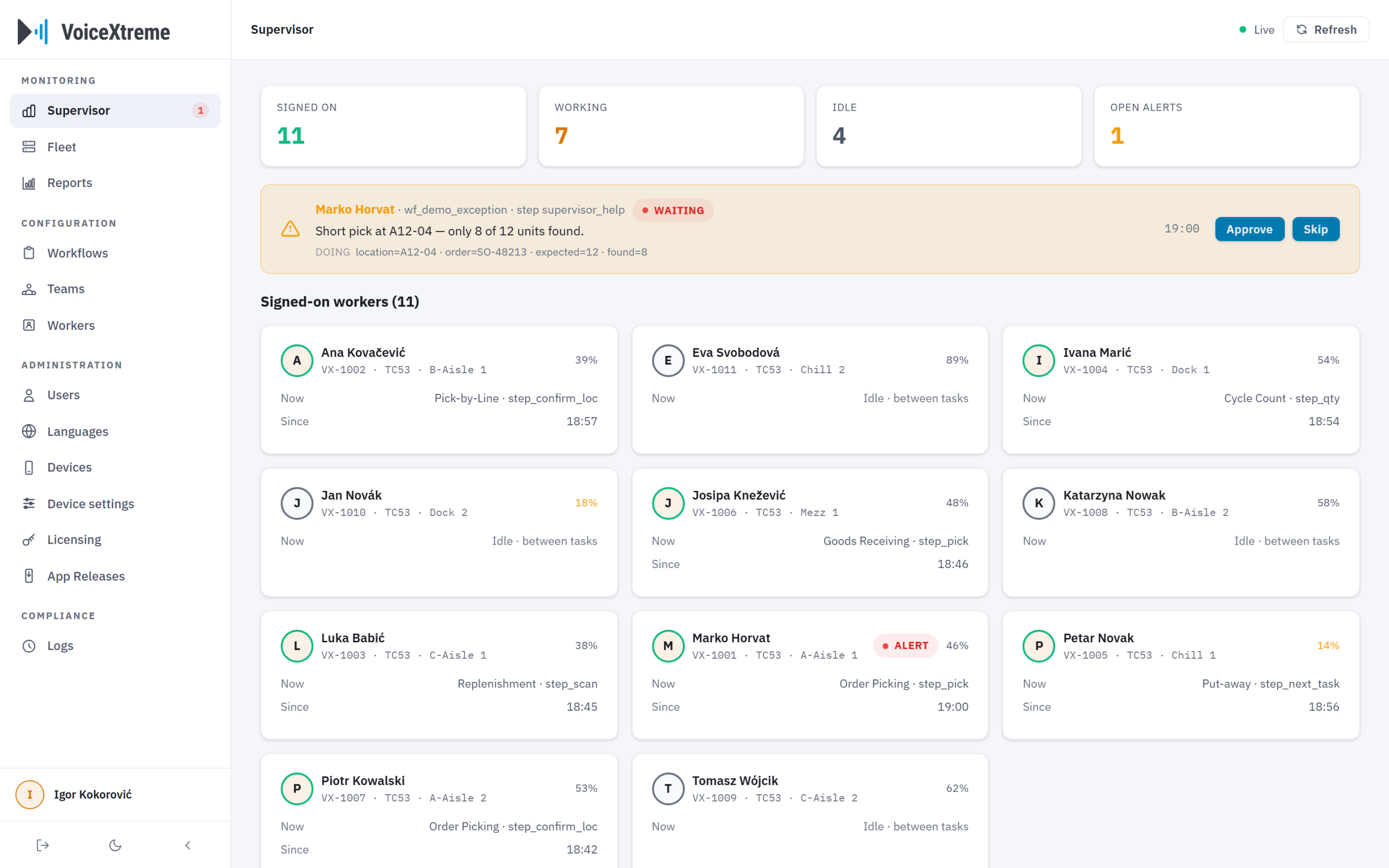
Live on the floor
See the shift while it’s happening.
Who’s signed on, who’s picking, who’s stalled. When a workflow hits something that needs a decision, say a short pick or a damaged pallet, it pauses the worker and raises it to a supervisor. One tap settles it. Need to reach someone across the building? Send a message straight to their handheld.
Supervisor board
See it on your floor.
A live demo on your processes, in your languages, on your hardware. Thirty minutes.
7+ languages · no voice training · yours to run